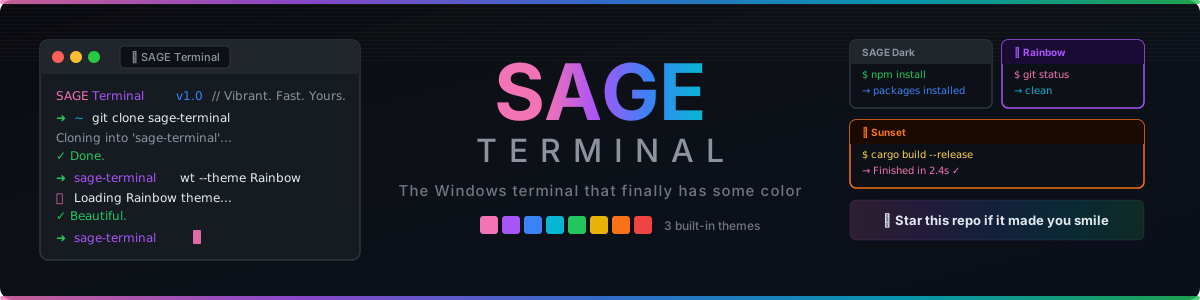








GPU-accelerated. Tabbed. Fully customizable. Vibrant by default.
The default Windows terminal is powerful — but visually, it's the color of cement. SAGE Terminal takes everything that makes Windows Terminal great and wraps it in a design that actually feels alive.
Three hand-crafted color themes. Rainbow accents out of the box. A terminal that makes you want to open it.
"Your terminal should be as colorful as your code."
SAGE Terminal ships with 11 exclusive built-in themes — ready the moment you launch.
| Theme | Vibe | Background | Accent | Best for |
|---|---|---|---|---|
| 🌑 SAGE Dark | Clean, professional | #0d1117 |
#a855f7 |
All-day coding |
| 🌈 Rainbow | Vibrant, playful | #0f0a1e |
#f472b6 |
Screenshot-worthy setups |
| 🌅 Sunset | Warm, focused | #1a0a00 |
#f97316 |
Late-night sessions |
| 🔮 SAGE Neon | Electric, cyberpunk-lite | #0a0010 |
#ff00ff |
Standing out |
| 🌊 SAGE Ocean | Cool deep blue | #0a1628 |
#00bfff |
Calm, focused work |
| 🧛 SAGE Dracula | Beloved Dracula palette | #282a36 |
#ff79c6 |
Dracula fans |
| ❄️ SAGE Nord | Minimal arctic | #2e3440 |
#88c0d0 |
Minimalist devs |
| 🤖 SAGE Cyberpunk | Matrix green on black | #0d0208 |
#00ff41 |
Hacker aesthetic |
| 🎨 SAGE Monokai | Classic Monokai Pro | #272822 |
#ae81ff |
Monokai loyalists |
| 🐱 SAGE Catppuccin | Soft pastel Mocha | #1e1e2e |
#cba6f7 |
Pastel lovers |
| ☀️ SAGE Solarized | Precision contrast | #002b36 |
#268bd2 |
Eye-strain fighters |
All theme JSON files live in the /themes folder. Applying a theme:
{
  "profiles": {
    "defaults": {
      "colorScheme": "SAGE Neon"
    }
  }
}
Want to add your own? Theme contributions are the easiest PR you can make →
Everything from Windows Terminal, plus SAGE's signature color treatment:
|
⚡ GPU-Accelerated Rendering Built on DirectX — buttery smooth text at any font size or scale. 📑 Tabs & Panes Split your workspace horizontally or vertically. Drag to reorder tabs. 🎨 3 Exclusive Themes SAGE Dark, Rainbow, and Sunset — each pixel-perfect and hand-crafted. 🔤 Full Unicode + Emoji Support Every character renders correctly. Including 🦄. |
🔧 JSON Config Every setting is a JSON key. Version-control your terminal setup. 🐚 Any Shell PowerShell, CMD, WSL2, Git Bash, fish — SAGE Terminal runs them all. 🖥️ Multiple Windows Open as many SAGE Terminal windows as you need. Each with its own profile. 🔗 Clickable URLs Links in your terminal output are clickable. Finally. |
The fastest way to explore the codebase — no local setup required.

A pre-configured dev container launches with the full C++ toolchain, VS Code extensions (IntelliSense, GitLens, CMake), and PowerShell ready to go.
Head to Releases and download the latest .msixbundle. Double-click to install.
Requirements:
- Windows 10 (21H2+) or Windows 11
- Visual Studio 2022
- Workload: Desktop development with C++
- Workload: Universal Windows Platform development
- Component: Windows 11 SDK (10.0.22000.0)
# Clone
git clone https://github.com/youngsage22/sage-terminal.git
cd sage-terminal

# Open and build in Visual Studio
start OpenConsole.sln
# Build → Build Solution (F7)
# Debug → Start Debugging (F5)
Full build documentation: BUILDING.md
| Action | Shortcut |
|---|---|
| New tab | Ctrl + T |
| Close tab | Ctrl + W |
| Split pane (horizontal) | Alt + Shift + - |
| Split pane (vertical) | Alt + Shift + + |
| Switch tab | Ctrl + Tab |
| Open settings | Ctrl + , |
| Find | Ctrl + Shift + F |
| Fullscreen | F11 |
| Copy | Ctrl + C |
| Paste | Ctrl + V |
- SAGE Dark, Rainbow, and Sunset themes
- Full rebrand with custom branding guide (
SAGE_TERMINAL.md) - Custom README, contributing guide, and support docs
- SAGE theme marketplace (submit & browse community themes)
- One-click theme preview in settings
- Animated startup splash with SAGE logo
- Theme export / share as URL
- Pre-built release binaries
Want to help build any of these? See the contributing guide →
Have a question? Want to share your setup or suggest a theme? Head to GitHub Discussions.
| Category | Use it for |
|---|---|
| 💡 Ideas | Suggest features, themes, or improvements |
| 🎨 Show & Tell | Share your SAGE Terminal setup |
| 🆘 Help | Troubleshoot build or config issues |
| 📣 Announcements | Release notes and project news |
SAGE Terminal welcomes all contributions. Read CONTRIBUTING.md to get started.
Not sure where to start? Look for issues tagged good first issue.
The easiest contribution: submit a new color theme. No C++ required — just a JSON file. Instructions here.
SAGE Terminal is built on top of Microsoft Terminal — an incredible open-source project by Microsoft and its contributors. The GPU rendering engine, tab system, pane splitting, and settings infrastructure are all their work. SAGE adds branding, color themes, and a friendlier face.
If you enjoy SAGE Terminal, go star Microsoft Terminal too — they deserve it.
MIT — free to use, fork, modify, and redistribute.
This project is powered by the work of 50 outstanding contributors from the open-source terminal community. Each one has shaped the rendering engine, settings system, tab architecture, and Unicode support that SAGE Terminal is built on.


Like what you see? Leave a ⭐ and help others find SAGE Terminal.
Built with 💜 by youngsage22