


Welcome to the ultimate dotfiles collection!
12 carefully crafted rice configurations optimized for daily use.
Each setup is designed with usability, aesthetics, and performance in mind.


- 🎭 Showcase
- ✨ Features
- 🚀 Quick Start
- 📦 Common Dependencies
- 🎨 Customization
- 💡 Tips
- 🤝 Contributing
- 📄 License
Note: Each configuration lives in its own branch. Click on the titles to explore!

Clean ocean-inspired theme with smooth gradients |

Warm retro vibes with the beloved Gruvbox palette |

Minimalist dark theme with maximum contrast |

Eye-friendly dark theme perfect for night coding |


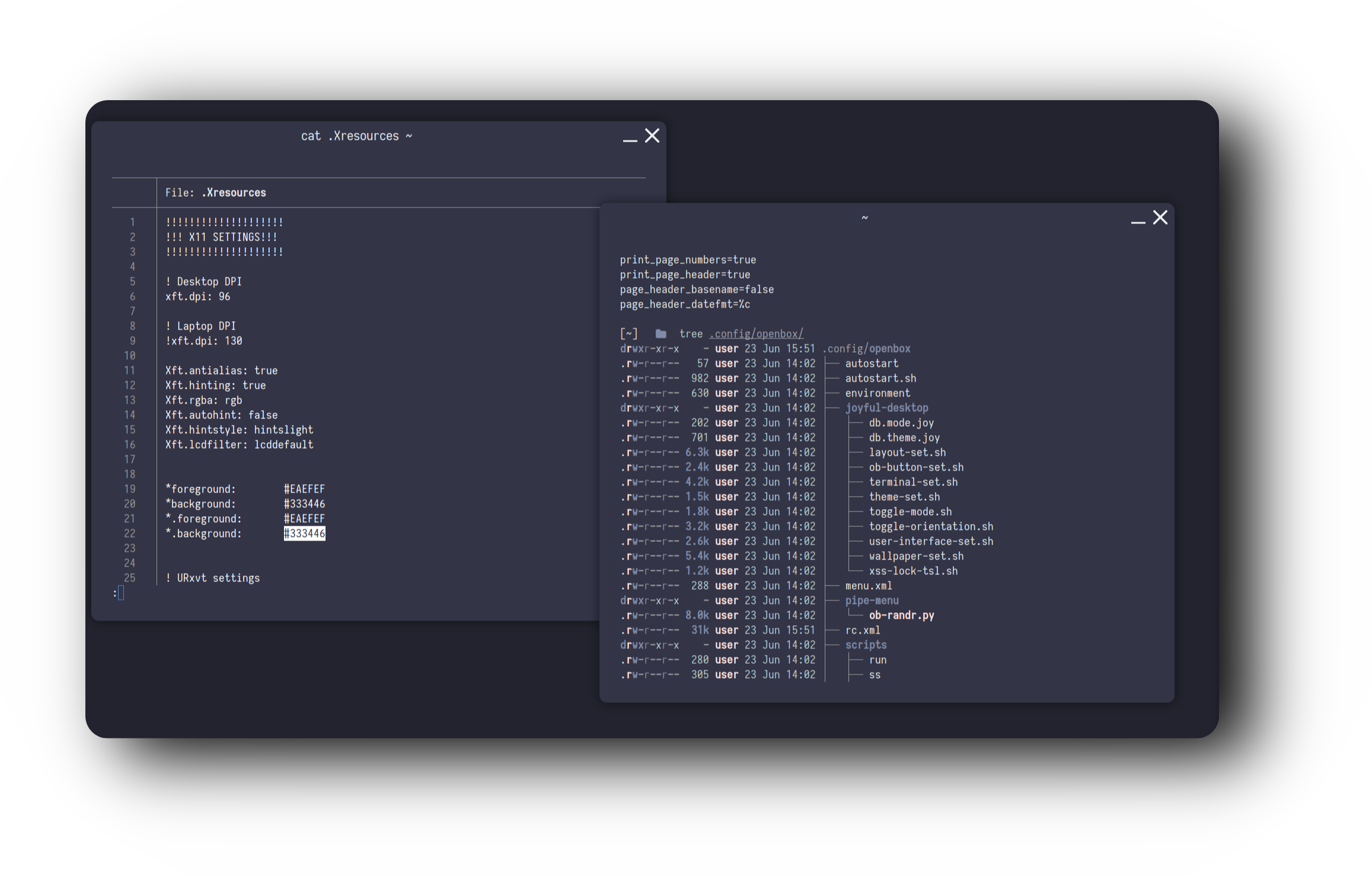
Deep purple theme with elegant styling |

Vibrant purple with modern aesthetics |

Calm blue tones for a serene workspace |
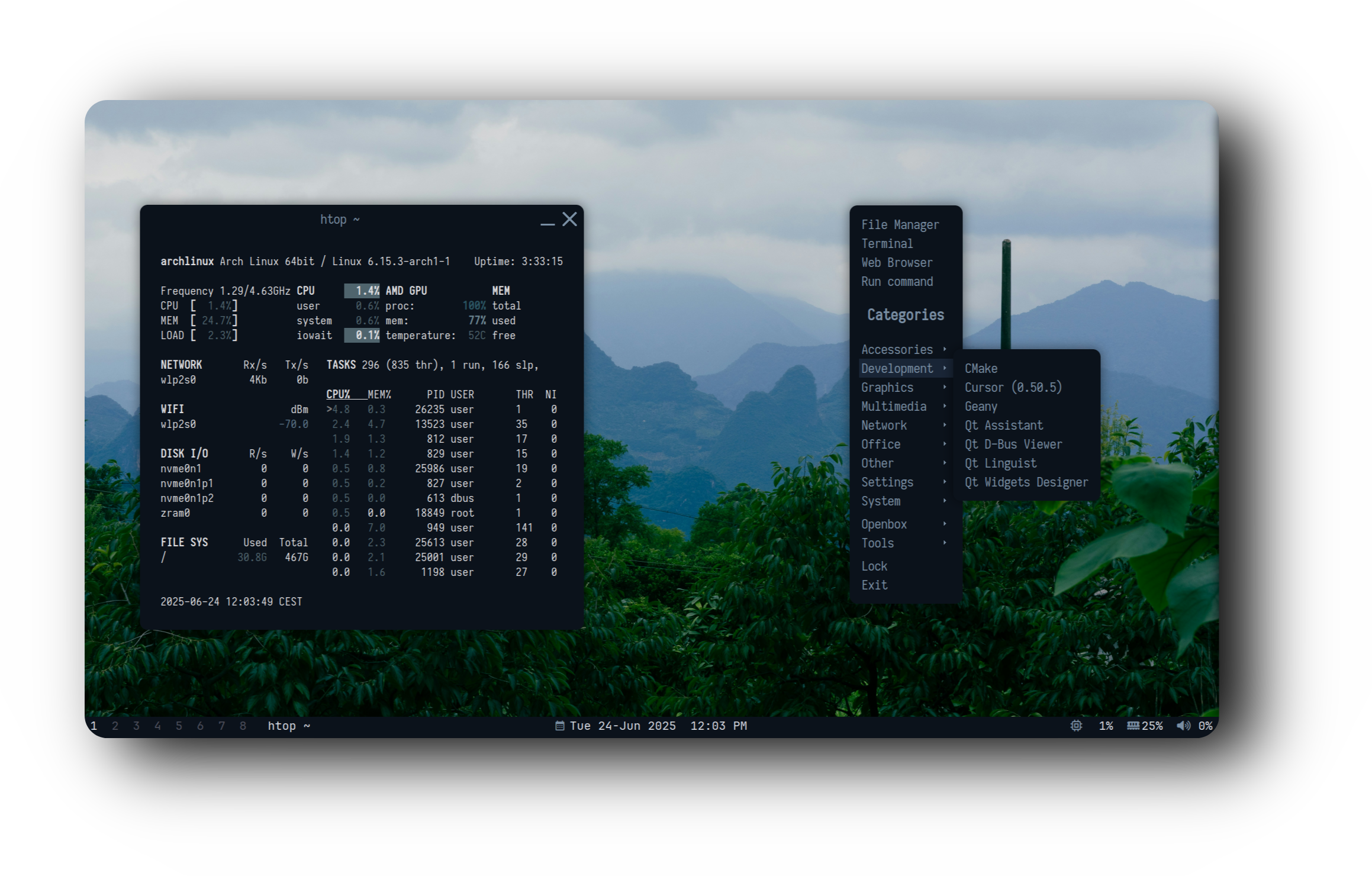
Dark blue with subtle transparency effects |
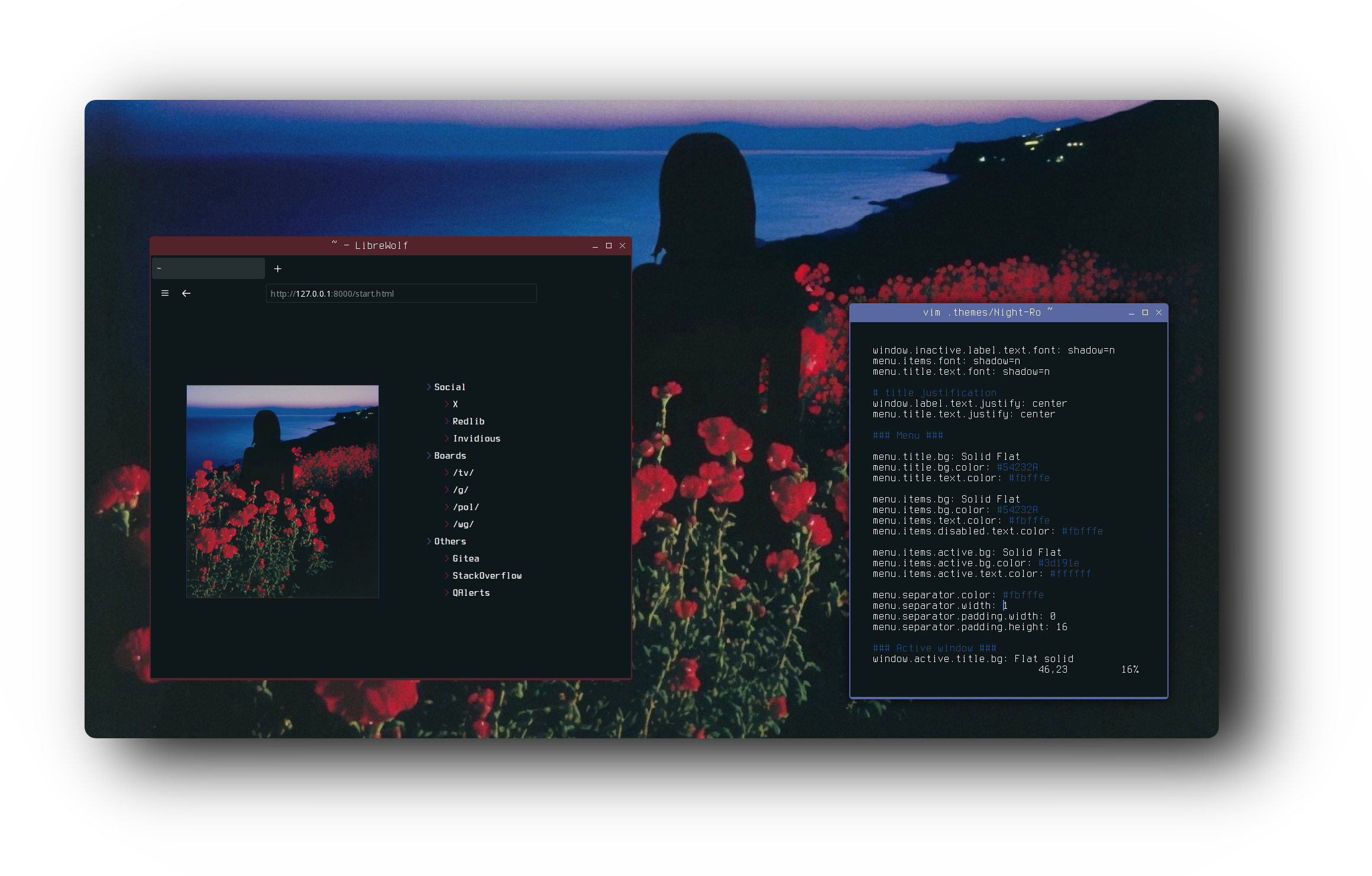
Romantic rose-themed setup with exceptional performance |
|


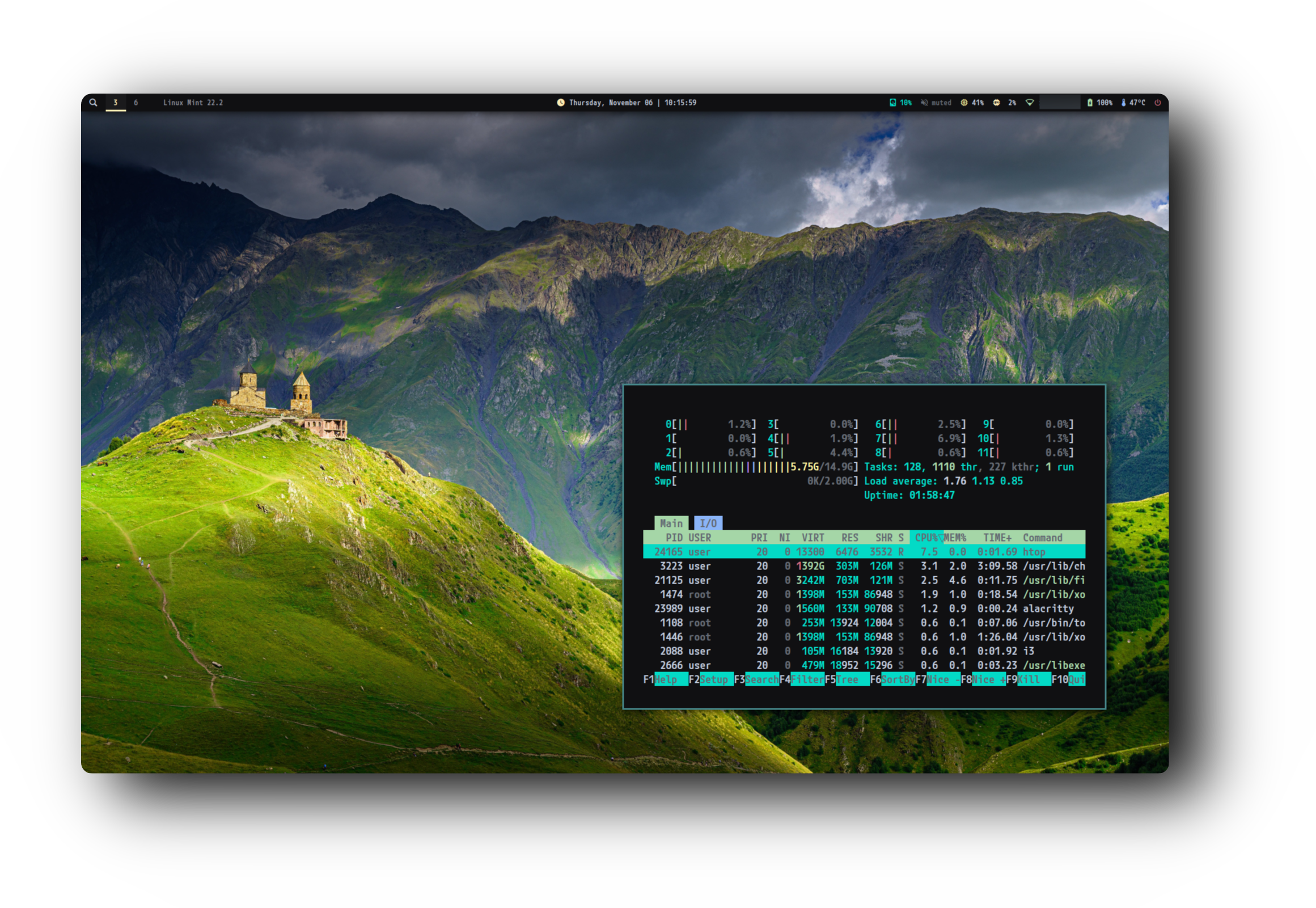
Material Design inspired blue theme |

Pure dark theme for focus and productivity |
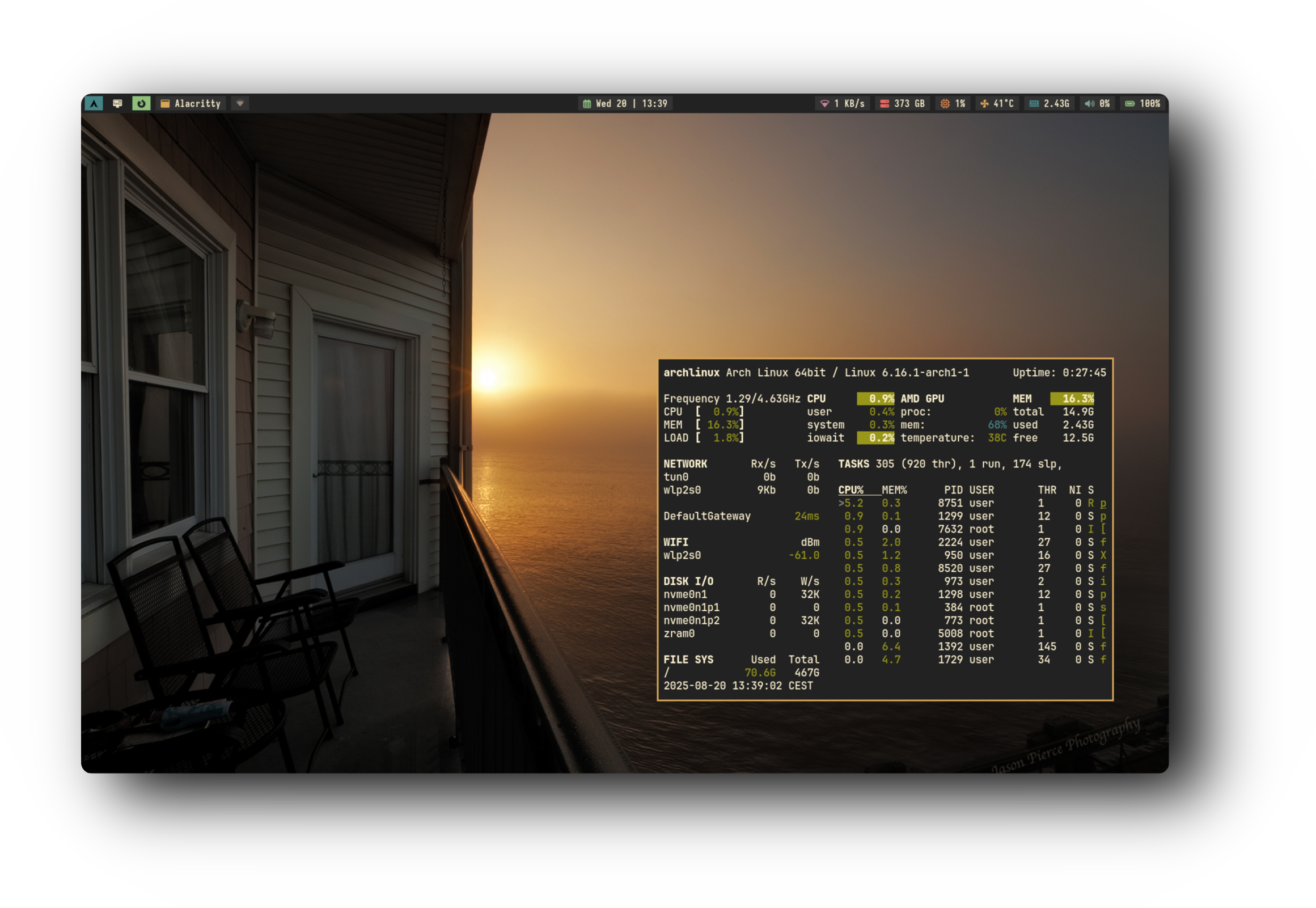
Ultra-lightweight Gruvbox theme with incredible performance |
|

|
Lightweight 150-500MB RAM usage |
Beautiful Carefully crafted aesthetics |
Functional Optimized for productivity |
Complete Everything configured |
- Window Managers: DWM, Openbox, i3-gaps
- Status Bars: Custom bars, Polybar, i3bar
- Terminal: Alacritty with GPU acceleration
- Shell: Zsh with plugins (autosuggestions, syntax highlighting)
- Compositor: Picom with blur and transparency
- Launcher: Rofi/dmenu with custom themes
- Notifications: Dunst with themed styling
- File Manager: Ranger/Thunar configurations
- Color Schemes: Material Design, Gruvbox, custom palettes
Browse the showcase above and click on any configuration that catches your eye!
# Clone a specific configuration (example: DWM Blue)
git clone -b dwm-blue https://github.com/user7210unix/dotfiles.git ~/dotfiles-dwm-blue
cd ~/dotfiles-dwm-blueEach branch has its own README.md with:
- Detailed installation instructions
- Dependency list
- Keybindings
- Customization guide
Most setups follow this pattern:
# 1. Backup your current configs
mkdir -p ~/.config_backup
cp -r ~/.config/{i3,openbox,dwm,polybar,alacritty} ~/.config_backup/ 2>/dev/null

# 2. Install dependencies (check branch README)
sudo apt update
sudo apt install -y [dependencies]

# 3. Copy configurations
cp -r .config/* ~/.config/
cp .zshrc ~/

# 4. Install Zsh plugins
mkdir -p ~/.zsh
git clone https://github.com/zsh-users/zsh-autosuggestions ~/.zsh/zsh-autosuggestions
git clone https://github.com/zsh-users/zsh-syntax-highlighting ~/.zsh/zsh-syntax-highlighting
git clone https://github.com/zsh-users/zsh-completions ~/.zsh/zsh-completions

# 5. Apply changes
source ~/.zshrc# For all configurations
sudo apt install -y git curl wget zsh feh picom dunst rofi
# For DWM setups
sudo apt install -y libx11-dev libxft-dev libxinerama-dev
# For Openbox setups
sudo apt install -y openbox tint2 obconf
# For i3 setups
sudo apt install -y i3-gaps polybarsudo apt install -y \
alacritty \
ranger \
neofetch \
htop \
nitrogen \
lxappearance \
fonts-nerd-fonts-hackEach setup is modular and easy to customize:
Colors: Edit the color scheme files in ~/.config/[wm]/
Wallpapers: Use feh --bg-scale /path/to/wallpaper.jpg
Bar: Modify configs in ~/.config/polybar/ or ~/.config/tint2/
Terminal: Edit ~/.config/alacritty/alacritty.yml
Feel free to mix components from different setups:
- Use the bar from one config with colors from another
- Combine wallpapers and themes
- Port color schemes between window managers
🎯 First Time Using a Tiling WM?
Start with i3 Blue Edition - it's the most beginner-friendly with:
- Clear keybindings
- Easy configuration
- Great documentation
- Familiar workflow
⚡ Want Maximum Performance?
Try Gruvbox i3 or Night Rose Openbox - they use only 150-200MB RAM!
🎨 Looking for Eye Candy?
Check out Openbox Purple Edition or DWM Blue Edition for the best visual effects.
🛠️ Need Something Stable?
All configurations marked as "Daily Driver" are battle-tested and production-ready.
Fonts not rendering correctly?
sudo apt install fonts-nerd-fonts-hack
fc-cache -fv
Bar not showing?
# For Polybar
killall polybar && polybar main &

# For tint2
killall tint2 && tint2 &
Compositor issues?
killall picom && picom --config ~/.config/picom/picom.conf &Contributions are welcome! Here's how you can help:
- 🐛 Report bugs
- 💡 Suggest new features or color schemes
- 🎨 Submit your own rice configurations
- 📖 Improve documentation
- ⭐ Star the repo to show support!
| Configuration | RAM Usage | Status | Difficulty |
|---|---|---|---|
| Gruvbox i3 | ~150MB | ✅ Stable | 🟢 Easy |
| Night Rose | ~200MB | ✅ Stable | 🟢 Easy |
| DWM Series | ~300MB | ✅ Stable | 🟡 Medium |
| Openbox Series | ~300MB | ✅ Stable | 🟢 Easy |
| i3 Series | ~300MB | ✅ Stable | 🟢 Easy |
| Openbox Purple | ~500MB | ✅ Stable | 🟢 Easy |
This project is licensed under the MIT License - see the LICENSE file for details.



