Ground configuration
GroundConfig allows you to easily set up multiple different ground surface types like road, ice.
Use the create assets menu to add a GlobalGroundConfig asset to the root Resources folder of your game.

Now you can add the different surface types and set up their tire friction multipliers.
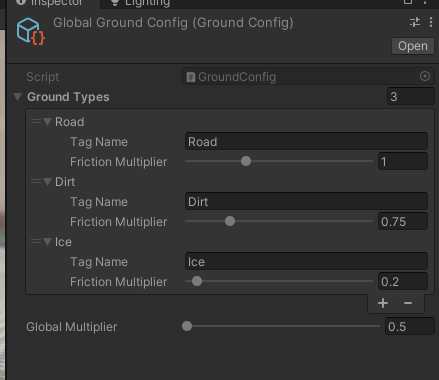
For global effects like weather you can adjust the GlobalMultiplier at runtime