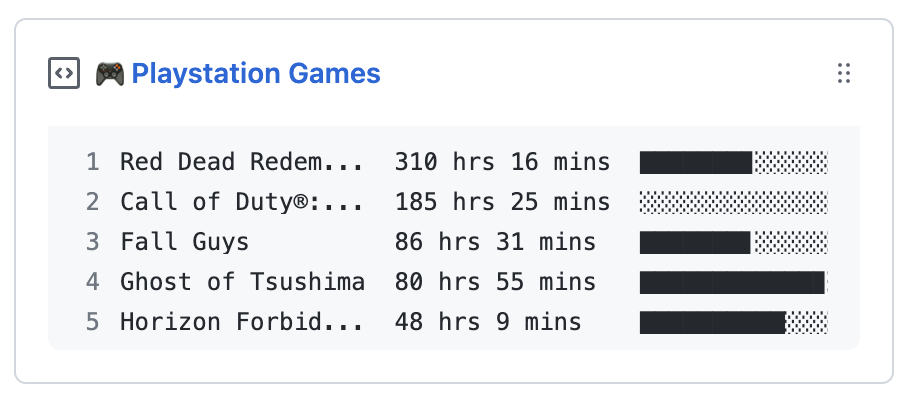
Update a pinned gist to contain your PlayStation stats
-
Create a new repository (public or private) to run the action. It stores your PlayStation stats and holds the required secrets.
-
Create a new public GitHub Gist at https://gist.github.com/.
-
Create a new token at https://github.com/settings/personal-access-tokens/new with the following settings:
- Expiration: Select Custom and set it to 1 year. (Note: You will need to renew the token annually.)
- Repository access: Select
Only select repositoriesand choose the repository you created in step 1. - Repository permissions: Enable
Secretswith read and write access, andMetadatawith read-only access. - Account permissions: Enable
Gistswith read and write access. - See the complete setup reference for details.
-
Sign in to the PlayStation Store at https://library.playstation.com/recently-purchased.
-
Open the following link: https://ca.account.sony.com/api/v1/ssocookie, and copy the
npssovalue. -
Go to your repository's Settings > Secrets and variables > Actions and add the following secrets:
PSN_NPSSO: Thenpssovalue you copied in step 5.GH_TOKEN: The token you created in step 3.GIST_ID: The ID portion of your gist URL:https://gist.github.com/your_name/<GIST_ID>.
-
Add a workflow file at
.github/workflows/playstation-box.ymlin your repository:name: Update gist with PlayStation stats on: schedule: - cron: "0 23 * * *" workflow_dispatch: jobs: update-gist: runs-on: ubuntu-latest steps: - name: Update gist uses: sigming/playstation-box@v3 env: PSN_NPSSO: ${{ secrets.PSN_NPSSO }} PSN_ACCESS_TOKEN: ${{ secrets.PSN_ACCESS_TOKEN }} PSN_REFRESH_TOKEN: ${{ secrets.PSN_REFRESH_TOKEN }} GH_TOKEN: ${{ secrets.GH_TOKEN }} GIST_ID: ${{ secrets.GIST_ID }}
PSN_ACCESS_TOKENandPSN_REFRESH_TOKENare written back to your repository secrets by the action, so you don't need to set them yourself. -
Trigger the workflow once from the Actions tab (Run workflow), then pin the gist to your profile.
