Security middleware for Hono.js. A mini WAF and honeypot path blocker that intercepts vulnerability scanners (nuclei, nikto, sqlmap, dirbuster, gobuster, wpscan), bot crawlers, and brute-force probes before they reach your route handlers. Optionally bans repeat offenders by IP and reports them to AbuseIPDB.
Built from analyzing hundreds of thousands of real-world malicious requests in production. Pattern matching runs in sub-millisecond time across all Hono runtimes: Cloudflare Workers, Bun, Deno, Node.js, Vercel Edge, and Fastly Compute.
hono-honeypot is path-based attack pattern blocking for Hono.js. It rejects requests to known scanner targets (/wp-admin, /.env, /.git/, /actuator, /@fs/, etc.) before they reach your handlers, optionally banning repeat offenders by IP. Treat it as a mini web application firewall (WAF), scanner deflector, or bot blocker.
| What it blocks | What it does NOT block |
|---|---|
| Vulnerability scanners: nuclei, nikto, sqlmap, dirbuster, gobuster, wpscan | Spam form submissions (use a hidden form-field trap for that) |
| WordPress, PHP, cPanel, phpMyAdmin probes | Application-level rate limits (use a separate rate limiter) |
.env, .git, .aws, .ssh exfiltration attempts |
DDoS and volumetric attacks (terminate at Cloudflare or upstream proxy) |
| Vite dev server exploits (CVE-2025-30208) | OWASP Top 10 injection against your own routes (input validation belongs in handlers) |
| Path traversal probes, SSRF cloud-metadata probes | Behavioral bot detection (use a fingerprint or device-intelligence service) |
| 200+ baked-in patterns covering Spring Actuator, Magento REST, Exchange OWA, IoT routers, K8s probes, CI/CD admin panels, and more | Authentication or authorization (this runs before your auth middleware) |
The name "honeypot" is figurative: when the IP store is enabled, scanners that probe the trap paths get stuck (struck and banned). It is not a form-field anti-spam honeypot.
Reduces attack surface for OWASP Top 10 2025 A02 Security Misconfiguration (formerly A05:2021, ranked #2 in the 2025 edition). Specifically denies reconnaissance probes targeting:
- Sample / legacy applications left on production with default admin accounts (OWASP A02 Scenario #1: WordPress, phpMyAdmin, Adminer, Magento, cPanel)
- Debug endpoints insecure by default (Spring
/actuator, Django/__debug__, Laravel/_ignition, Vite/@fs/) - Unnecessary features enabled in production (admin panels, dev-tooling routes, IoT vendor backdoors)
- Sensitive files that should never be web-accessible (
.env,.git/,.aws/,.ssh/, backup files, dependency manifests)
This is one layer of defense in depth, not a configuration auditor. Pair with proper hardening, secret management, and removal of unused frameworks.
npm install hono-honeypotimport { Hono } from 'hono'
import { honeypot } from 'hono-honeypot'
const app = new Hono()
app.use('*', honeypot())That's it. 200+ attack patterns are blocked out of the box. Every option below is optional.
Returns Hono middleware. All options are optional.
app.use('*', honeypot({
  patterns,          // RegExp[]           — additional patterns to block
  exclude,           // RegExp[]           — built-in patterns to remove
  status,            // 410 | 404 | 403    — response status (default: 410)
  store,             // HoneypotStore      — enables IP strike/ban system
  strikeThreshold,   // number             — strikes before ban (default: 3)
  getIP,             // (c: Context) => string — custom IP extraction
  onBlocked,         // (info: BlockInfo, c: Context) => void — custom block handler
  log,               // boolean            — console logging (default: true)
}))
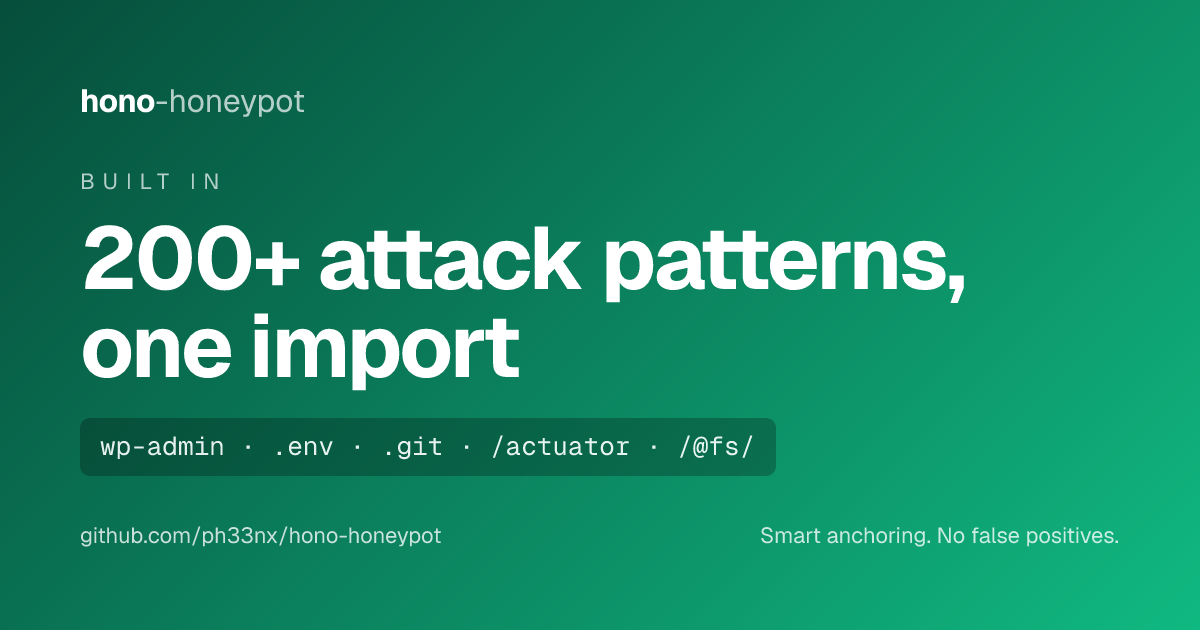
Out of the box, the middleware matches request paths against 200+ regex patterns covering:
| Category | Examples |
|---|---|
| PHP/WordPress | *.php, /wp-admin, /xmlrpc.php, /wp-content/ |
| Admin panels | /admin, /phpmyadmin, /cpanel, /cgi-bin |
| CMS frameworks | /typo3, /joomla, /drupal, /magento |
| Magento REST API | /rest/V1/store/storeConfigs and store-scope variants |
| JS framework fingerprinting | /_next, /_rsc, /_vercel, next.config.js, nuxt.config.ts |
| Deployment configs | serverless.yml, vercel.json, netlify.toml, package.json |
| Docker/container | docker-compose.yml, Dockerfile, /docker/ |
| AWS/cloud credentials | /aws/*, aws_s3, aws_ses, /.aws/ |
| Version control | /.git/, /.svn/, /.hg/ |
| Sensitive files | /.env, /.htaccess, /.htpasswd, *.sql |
| SSH/auth tokens | /.ssh/, /id_rsa, /.npmrc, /.pypirc |
| System path traversal | /var/task/, /var/log/, /opt/ |
| Command injection | $(pwd), backtick injection, {curl,…} brace expansion |
| Server-side template injection | ${...} (SpEL / Log4Shell), <%...%> (ERB / JSP / ASP) — matched in both raw and percent-decoded form |
| URL normalisation probes | Zero-width Unicode (U+200B, U+FEFF BOM, U+200C–U+200F, U+202A–U+202E directional overrides) |
| Log files | *.log, error_log |
| Java/Spring Boot | /WEB-INF, /manager/html, /solr, /actuator |
| Dependency manifests | composer.json, Gemfile, requirements.txt |
| WYSIWYG editors | /ckeditor, /tinymce, /elfinder |
| OS metadata | .DS_Store, Thumbs.db |
| Backup files | *.bak, *.old, *.backup, *.swp |
| Path traversal / LFI | ../, ..%2f, /etc/passwd, /proc/self/environ |
| Vite dev server exploits | /@fs/, /@vite/, /@id/ (CVE-2025-30208) |
| Laravel/Django debug | /_ignition, /__debug__ |
| SSRF / cloud metadata | /proxy/, 169.254.169.254, /latest/meta-data |
| IoT / router exploits | /HNAP1/, /boaform/, /GponForm/, /setup.cgi |
| Microsoft Exchange/SharePoint | /owa/, /aspnet_client/, /ecp/, /_layouts/, /_vti_bin/ |
| Self-hosted apps | /nextcloud/, /owncloud/, /WebInterface/ (CrushFTP) |
| Collaboration/monitoring | /geoserver/, /confluence/, /jira/, /grafana/, /kibana/, /prometheus/ |
| CI/CD / DevOps | /jenkins/, /portainer/, /gitea/, /gitlab/ |
| Database admin aliases | /adminer, /pma/, /myadmin/, /mysqladmin, /dbadmin |
| Webmail | /roundcube/, /webmail/ |
| Kubernetes / container | /metrics, /healthz, /readyz, /livez, /.dockerenv |
| Brute force discovery | /old, /test, /demo, /script, /2017, /2024 |
Patterns use smart anchoring to prevent false positives:
/admin     → blocked (exact root match)
/api/admin → allowed (nested path, not root)
/login     → allowed (legitimate app route)
/blog      → allowed (legitimate app route)
Add application-specific patterns. Merged with the built-in set.
app.use('*', honeypot({
  patterns: [
    /^\/internal-api/i,
    /^\/debug/i,
    /\.zip$/i,           // opt-in: block .zip downloads (not on by default — many apps serve legit .zip)
  ],
}))
The built-in archive rule blocks
.7z,.tar(.gz),.tgz,.bz2,.war, and.jar, but not.zip— it is too commonly served legitimately (exports, bundles). Add/\.zip$/iif your app never serves zip downloads.
Remove specific built-in patterns by matching their regex source string.
app.use('*', honeypot({
  exclude: [
    /^\/admin(\.php)?$/i,  // Allow your own /admin route
  ],
}))Default is 410 Gone. Alternatives: 404, 403.
app.use('*', honeypot({ status: 404 }))Why 410 Gone is the default:
- Google and Bing prioritize
410for faster deindexing over404 - Scanners with retry logic treat
410as permanent and stop faster than404 - Empty response body minimizes bandwidth under high-volume probing
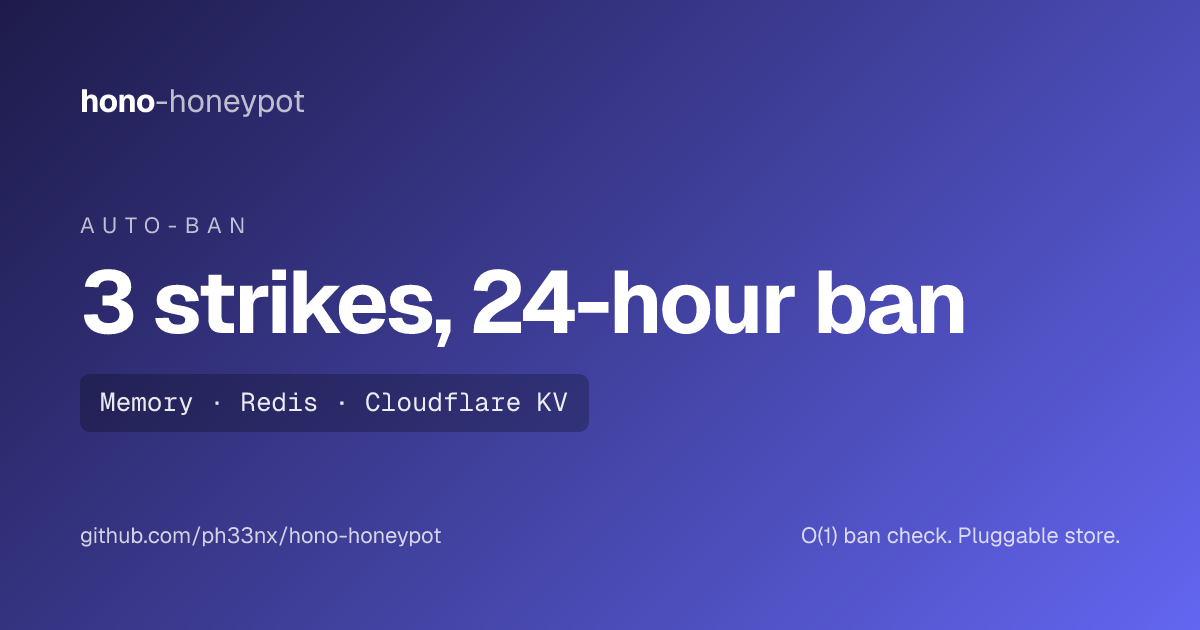
Without a store, the middleware is stateless: it blocks matching paths but imposes no penalty on repeat offenders. With a store, it tracks strikes per IP and bans IPs that exceed the threshold.
Flow:
- Request matches attack pattern → strike recorded against IP
- IP reaches
strikeThreshold(default: 3) → IP is banned - Banned IP sends any request → instant
410response, no pattern matching needed (O(1) lookup)
In-process Map-based store with lazy TTL expiry. Suitable for single-process deployments and development.
import { honeypot, MemoryStore } from 'hono-honeypot'

app.use('*', honeypot({
  store: new MemoryStore({
    strikeTTL: 3600,    // optional — strike window in seconds (default: 3600 / 1 hour)
    banTTL: 86400,      // optional — ban duration in seconds (default: 86400 / 24 hours)
  }),
  strikeThreshold: 3,   // optional — default: 3
}))
Note: MemoryStore state is per-isolate. In multi-process, clustered, or serverless environments, use a shared store (Redis, KV, etc.).
Implement the HoneypotStore interface to use any storage backend. All methods may return sync values or Promises.
interface HoneypotStore {
  /** Check if IP is banned. Called before pattern matching (fast path). */
  isBanned(ip: string): Promise<boolean> | boolean

  /** Record a strike. Return new total count. */
  addStrike(ip: string): Promise<number> | number

  /** Ban an IP. Called when strikes >= threshold. */
  ban(ip: string): Promise<void> | void

  /** Clear strikes. Called after ban is set. */
  resetStrikes(ip: string): Promise<void> | void
}import type { HoneypotStore } from 'hono-honeypot'
import Redis from 'ioredis'
const redis = new Redis()
const redisStore: HoneypotStore = {
async isBanned(ip) {
return (await redis.exists(`honeypot:ban:${ip}`)) === 1
},
async addStrike(ip) {
const key = `honeypot:strikes:${ip}`
const count = await redis.incr(key)
if (count === 1) await redis.expire(key, 3600)
return count
},
async ban(ip) {
await redis.setex(`honeypot:ban:${ip}`, 86400, '1')
},
async resetStrikes(ip) {
await redis.del(`honeypot:strikes:${ip}`)
},
}
app.use('*', honeypot({ store: redisStore }))import type { HoneypotStore } from 'hono-honeypot'
function createKVStore(kv: KVNamespace): HoneypotStore {
return {
async isBanned(ip) {
return (await kv.get(`honeypot:ban:${ip}`)) !== null
},
async addStrike(ip) {
const key = `honeypot:strikes:${ip}`
const current = parseInt((await kv.get(key)) || '0')
const count = current + 1
await kv.put(key, String(count), { expirationTtl: 3600 })
return count
},
async ban(ip) {
await kv.put(`honeypot:ban:${ip}`, '1', { expirationTtl: 86400 })
},
async resetStrikes(ip) {
await kv.delete(`honeypot:strikes:${ip}`)
},
}
}
app.use('*', honeypot({ store: createKVStore(env.KV) }))Default extraction chain: cf-connecting-ip > x-forwarded-for (first entry) > x-real-ip > 'unknown'.
IPs resolving to 'unknown' or empty string are not tracked by the strike system (prevents false bans when IP cannot be determined).
Override with a custom function:
app.use('*', honeypot({
  getIP: (c) => c.req.header('x-real-ip') || 'unknown',
}))Custom callback fired on every blocked request. When provided, suppresses built-in console logging.
The handler receives the BlockInfo and the Hono Context (use c to read request data or env bindings such as c.env.ABUSEIPDB_API_KEY on Cloudflare Workers, where process.env is empty).
app.use('*', honeypot({
  onBlocked: (info, c) => {
    // info.ip       — client IP
    // info.path     — normalized request path
    // info.method   — HTTP method
    // info.reason   — 'pattern' | 'banned'
    // info.strikes  — current strike count (when store is active, pattern matches only)
    // info.banned   — true if this request triggered a new ban

    logger.warn(`honeypot: ${info.reason} ${info.ip} ${info.method} ${info.path}`)

    if (info.banned) {
      metrics.increment('honeypot.bans')
    }
  },
}))
Without onBlocked, the middleware logs to console when log: true (default):
🍯 Blocked [203.0.113.5] GET /wp-admin
🚫 Banned [203.0.113.5] GET /.env BANNED
Set log: false to suppress all output:
app.use('*', honeypot({ log: false }))Contribute your scanner sightings back to AbuseIPDB so banned IPs build community reputation. It ships as a separate subpath export (hono-honeypot/abuseipdb) so the core middleware stays zero-dependency and vendor-neutral — import it only if you want it.
import { honeypot, MemoryStore } from 'hono-honeypot'
import { abuseIPDBReporter } from 'hono-honeypot/abuseipdb'

app.use('*', honeypot({
  store: new MemoryStore(),
  onBlocked: abuseIPDBReporter(), // reports an IP when it crosses the ban threshold
}))
Why pass the key, not auto-read process.env? On Cloudflare Workers — a primary target runtime — process.env is empty by default; bindings arrive on c.env. The reporter resolves the key in this order: an explicit apiKey → c.env[envKey] → process.env[envKey] (default env var ABUSEIPDB_API_KEY). With no key resolvable it is a silent no-op, so it is safe to wire up unconditionally.
// Explicit / Cloudflare Workers binding:
abuseIPDBReporter({ apiKey: (c) => c.env.ABUSEIPDB_API_KEY })
// Node (reads process.env.ABUSEIPDB_API_KEY automatically):
abuseIPDBReporter()
It reports only when an IP is banned (info.banned), keeping you well under AbuseIPDB's free-tier limits (1000 reports/day, 15-minute dedup per IP). It is fire-and-forget — never throws, never blocks the request, swallows rate-limit and network errors.
| Option | Type | Default | Description |
|---|---|---|---|
apiKey |
string | (c) => string |
env | Key, or a resolver from context |
envKey |
string |
'ABUSEIPDB_API_KEY' |
Env var name to resolve the key from |
fetch |
Fetcher |
globalThis.fetch |
Injected fetcher (Workers binding / tests); any fetch-like fn |
categories |
string |
'21,19' |
Report categories (Web App Attack, Bad Web Bot) |
reportOn |
(info) => boolean |
info.banned |
When to report |
comment |
(info) => string |
probe line | Public report comment (sanitized, capped) |
endpoint |
string |
AbuseIPDB v2 | Report endpoint override |
Requires a store (so IPs can be banned). The comment is published publicly on AbuseIPDB — it carries only the attacker's own request line, sanitized to printable ASCII and capped, never your routes or infrastructure.
import { honeypot, MemoryStore } from 'hono-honeypot'
import type { HoneypotOptions, HoneypotStore, BlockInfo } from 'hono-honeypot'
import { abuseIPDBReporter } from 'hono-honeypot/abuseipdb'
import type { AbuseIPDBOptions } from 'hono-honeypot/abuseipdb'| Export | Path | Type | Description |
|---|---|---|---|
honeypot |
hono-honeypot |
function | Middleware factory |
MemoryStore |
hono-honeypot |
class | Built-in in-memory store |
HoneypotOptions |
hono-honeypot |
interface | Options type |
HoneypotStore |
hono-honeypot |
interface | Store adapter contract |
BlockInfo |
hono-honeypot |
interface | Block event payload |
abuseIPDBReporter |
hono-honeypot/abuseipdb |
function | AbuseIPDB onBlocked reporter factory |
AbuseIPDBOptions |
hono-honeypot/abuseipdb |
interface | Reporter options type |
Fetcher |
hono-honeypot/abuseipdb |
type | Injectable fetch-like signature |
| Metric | Value |
|---|---|
| Pattern matching overhead | <1ms per request |
| Ban check (store) | O(1) lookup, runs before pattern matching |
| Memory footprint | ~10KB (pattern array) |
| Bundle size | Zero dependencies beyond hono peer dep |
Tested on all Hono.js runtimes: Cloudflare Workers, Bun, Deno, Node.js (>=18), Vercel Edge Functions, Fastly Compute.
This package ships AGENTS.md in the published npm bundle. AI coding agents (Claude Code, Cursor, GitHub Copilot, OpenAI Codex, Gemini CLI) that support AGENTS.md will read it automatically from node_modules/hono-honeypot/AGENTS.md.
How do I block vulnerability scanners in Hono?
Add app.use('*', honeypot()). It ships 200+ patterns that match the paths nuclei, nikto, sqlmap, dirbuster, gobuster, and wpscan probe for (/wp-admin, /.env, /.git/, /actuator, /@fs/, …) and returns 410 Gone before the request reaches your handlers.
Does it work as a WAF on Cloudflare Workers without a paid plan?
Yes. It is a code-level mini WAF that runs in your Worker (and on Bun, Deno, Node.js, Vercel Edge, Fastly Compute) with zero dependencies — no Cloudflare WAF subscription needed. Read env bindings via c.env, not process.env.
How do I ban repeat attackers by IP?
Pass a store (new MemoryStore() for single-process, or a Redis/KV adapter for distributed). After strikeThreshold matches (default 3), the IP is banned and every later request gets an O(1) 410.
How do I report attackers to AbuseIPDB from Hono?
Import abuseIPDBReporter from hono-honeypot/abuseipdb and pass it as onBlocked. It reports each IP once, when it is banned. See AbuseIPDB Reporting.
Will it block my own /admin route?
The literal path /admin is blocked, but /api/admin, /admin/settings, etc. are not (the pattern is root-anchored). If you serve a real panel at exactly /admin, exclude it: honeypot({ exclude: [/^\/admin(\.php)?$/i] }).
Is it a form-field / spam honeypot? No. "Honeypot" here is figurative — it traps path scanners, not form bots. It is not a rate limiter, DDoS protection, or auth layer.
Longer-term direction and the research behind it live in docs/live-ruleset-sync.md — the case for (and against) turning this into a live-updating WAF. Help wanted on:
- Opt-in live ruleset sync — auto-fetch a maintained path feed on a schedule, cache it (memory/Redis/KV), fail safe to the bundled patterns. Ships as a separate
hono-honeypot/rules-syncexport so the core stays zero-dependency. (design) - Supply-chain hardening for fetched rules — trusted-URL allowlist, hash/signature verification, ReDoS sanitization, pattern caps. (details)
- Coraza/OWASP CRS adapter — once a real JS/edge WASM build exists, prefer a proper WAF engine over hand-syncing path lists.
- More real-traffic patterns — high-signal, low-false-positive paths from production scanner traffic (not discovery wordlists).
Have a fresh scanner path slipping through, or a false positive? Open an issue with the request line.
Issues and PRs welcome at github.com/ph33nx/hono-honeypot
MIT