mcp-manimgl — MCP server exposing manimgl (Manim OpenGL) mathematical animation functionality as tools for LLMs.



mcp-name: io.github.daedalus/mcp-manimgl
pip install mcp-manimglOptional extras:
# For rendering (requires manimgl + system deps)
pip install "mcp-manimgl[render]"

# For audio narration + MIDI music support
pip install "mcp-manimgl[audio]"| Dependency | Required for | Install |
|---|---|---|
ffmpeg + ffprobe |
Audio mixing, narration sync, music ducking | apt install ffmpeg |
libfluidsynth3 |
MIDI file rendering to audio | apt install libfluidsynth3 |
SoundFont (.sf2/.sf3) |
MIDI instrument sounds | apt install fluidr3mono-gm-soundfont |
| pangocairo, OpenGL | Manim rendering engine | See manimgl docs |
The server checks for non-Python dependencies at startup and reports any missing ones to stderr and via the mcp-manimgl://info resource.
# Run with stdio transport (default for MCP)
mcp-manimglAdd to your mcp.json:
{
  "mcpServers": {
    "mcp-manimgl": {
      "command": "mcp-manimgl"
    }
  }
}The server exposes these tool categories:
create_scene— Create/configure a new sceneclear_scene— Remove all elementsadd_wait— Add wait/pauseset_camera— Configure cameraset_config— Set global rendering configsave_state/restore_state— State managementgenerate_scene_script— Get the generated Python script
add_circle,add_square,add_rectangle,add_polygonadd_line,add_arrow,add_dotadd_text,add_tex(LaTeX)add_function_graph,add_parametric_curveadd_coordinate_system,add_vectoradd_labeled_point,add_brace,add_number_lineadd_decimal_number,add_matrixadd_3d_object(sphere, cube, torus, cone, cylinder)
move_to,shift,scale,rotateset_color,set_opacitynext_to,align_to
animate_transform,animate_fade_in/out,animate_growanimate_rotate,animate_scale,animate_shiftanimate_indicate,animate_write,animate_set_coloranimate_move_along_path,animate_group
add_narration— Generate TTS (gTTS) narration that plays at the current timeline positionadd_background_music— Add background music from audio files or MIDI files (auto-rendered via FluidSynth). Supports volume control, looping, and sidechain ducking during narration.
render_scene— Render to video (auto-mixes background music + narration with ducking)save_frame— Save single frameget_render_status— Check environment
# TTS narration at current timeline position
add_narration("Shor's algorithm factors large numbers in polynomial time.")Accepts audio files (.mp3, .wav, .ogg) or MIDI files (.mid, .midi). MIDI files are rendered to audio using FluidSynth and the system SoundFont.
# From an audio file
add_background_music("/path/to/music.mp3", volume=0.3, loop=True)

# From a MIDI file (auto-rendered)
add_background_music("/path/to/classical.mid", volume=0.2)

# With ducking configuration
add_background_music(
    "bach_chorale.mid",
    volume=0.25,
    loop=True,
    duck_threshold="-20dB",
    duck_ratio=6,
    duck_attack=0.05,
    duck_release=0.3,
)
When both background music and narration are present, render_scene automatically:
- Renders the video without audio via manimgl
- Places the music track (looped if needed) at the configured volume
- Places each narration track at its timeline position
- Applies sidechain compression so music volume ducks during narration
- Composites everything into the final MP4 via ffmpeg
A narrated animation explaining Shor's algorithm with LaTeX, 5 TTS narration tracks, and classical MIDI background music.
Watch:
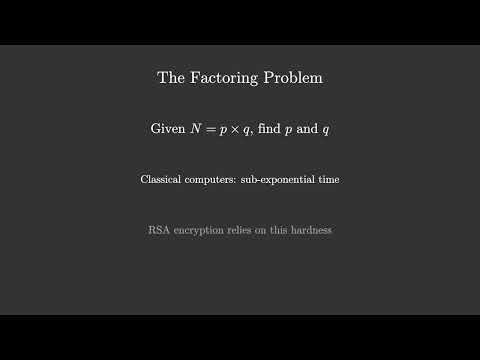
MCP tool call sequence:
# 1. Configure scene
create_scene(background_color="#0a0a2e", resolution="1920x1080", fps=30)

# 2. Background music (auto-loops to fill video duration)
add_background_music("classical.mid", volume=0.25, loop=True)

# 3. Create mobjects + animate (5 sections)
add_tex("Shor's Algorithm", font_size=72, color="#FFD700")
add_tex("Integer Factorization on Quantum Computers", font_size=36, color="#88CCFF")
animate_fade_in("m_...", run_time=1.5)
# ... more shapes, LaTeX formulas, fade-ins, fade-outs ...

# 4. Narration at specific timeline positions
add_narration("Shor's algorithm factors large numbers...")   # ~3.5s
add_narration("The factoring problem...")                     # ~18.5s
add_narration("Key insight: reduce factoring to period...")   # ~36.1s
add_narration("Quantum period finding uses superposition...") # ~55.4s
add_narration("Summary of Shor's algorithm...")               # ~76.3s

# 5. Render (auto-mixes video + narrations + ducked BGM)
render_scene(output_path="data/Shors_Algorithm.mp4")
See the full scene script at shor_mcp.py in the repository root.
MIDI files are rendered using pyfluidsynth with a system SoundFont. On Debian/Ubuntu:
sudo apt install fluidr3mono-gm-soundfont libfluidsynth3
pip install "mcp-manimgl[audio]"
Auto-discovered SoundFont paths:
/usr/share/sounds/sf3/(.sf3)/usr/share/sounds/sf2/(.sf2)/usr/share/fluidr3mono-gm-soundfont/
git clone https://github.com/dclavijo/mcp-manimgl.git
cd mcp-manimgl
pip install -e ".[test]"

# run tests
pytest

# format
ruff format src/ tests/

# lint + type check
prospector --with-tool ruff --with-tool mypy src/

# security scan
semgrep --config=auto --severity=ERROR src/

# find unused code
vulture --min-confidence 90 src/mcp-name: io.github.dclavijo/mcp-manimgl