ChatGPT and Claude remember your conversations. cachly remembers your codebase.
The bug you fixed. Why you chose Postgres. The deploy step that always breaks — and everything your teammates learned. It stays when someone leaves the team, and it comes along when you switch assistants.This plugin puts that memory in front of you — lessons learned, tokens saved, session history and brain health, right in your IDE's status bar. Works in every JetBrains IDE.
Nothing to sign up for. On first start the plugin fetches a free trial brain by itself — no account, no credit card, no key to paste. Link an account later to keep the data. EU servers, GDPR.






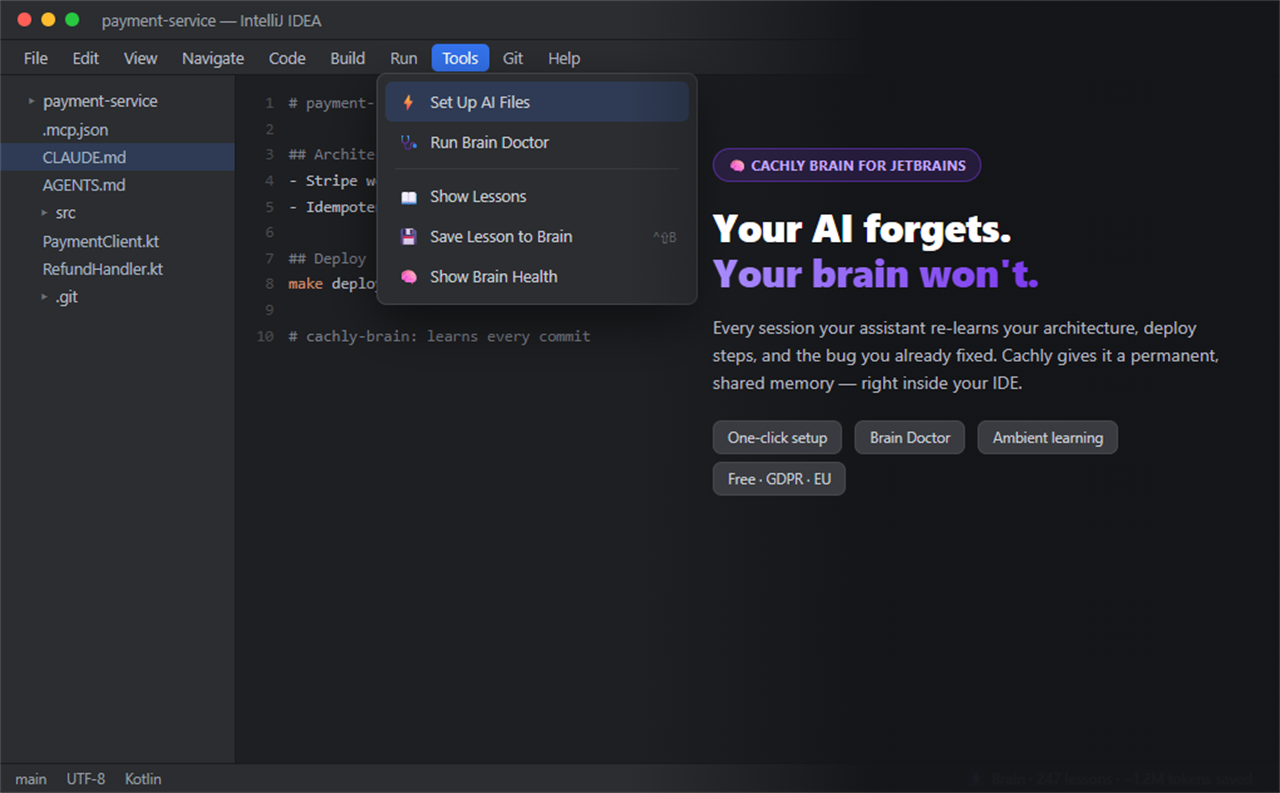
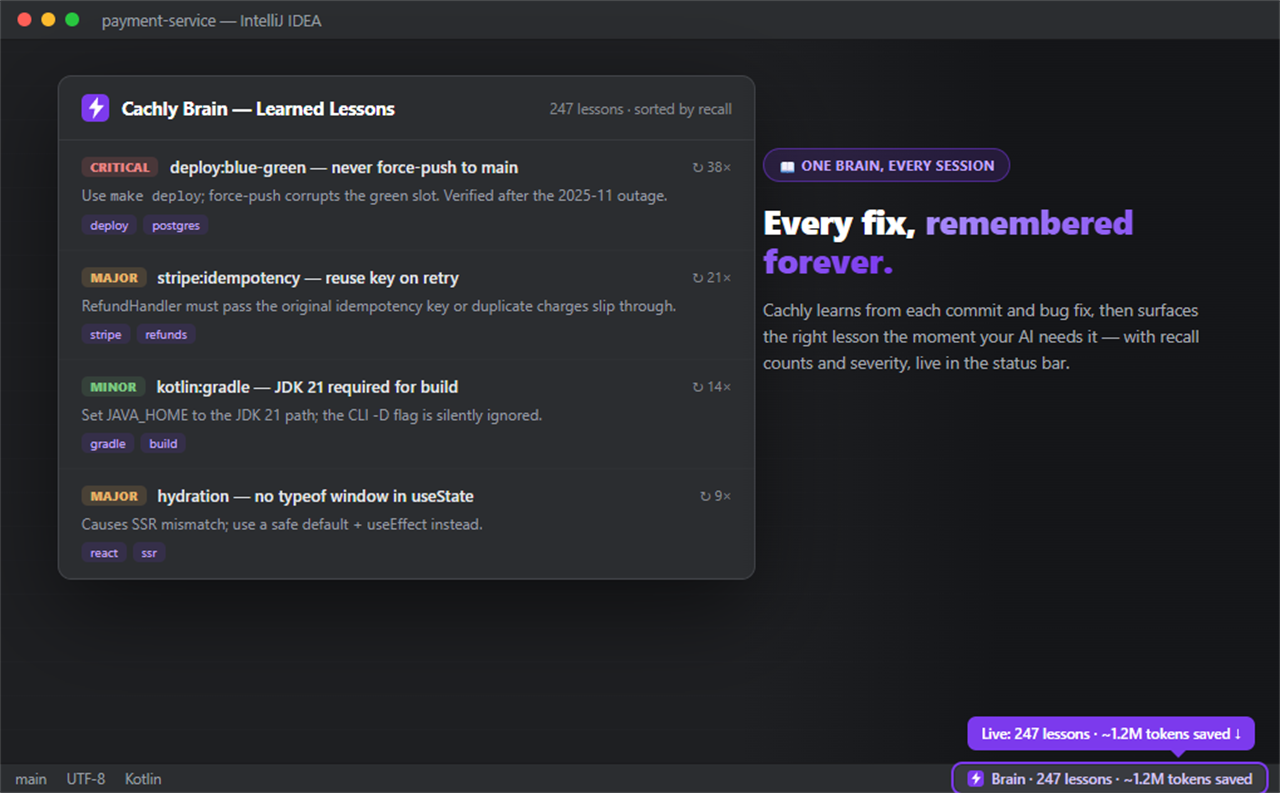
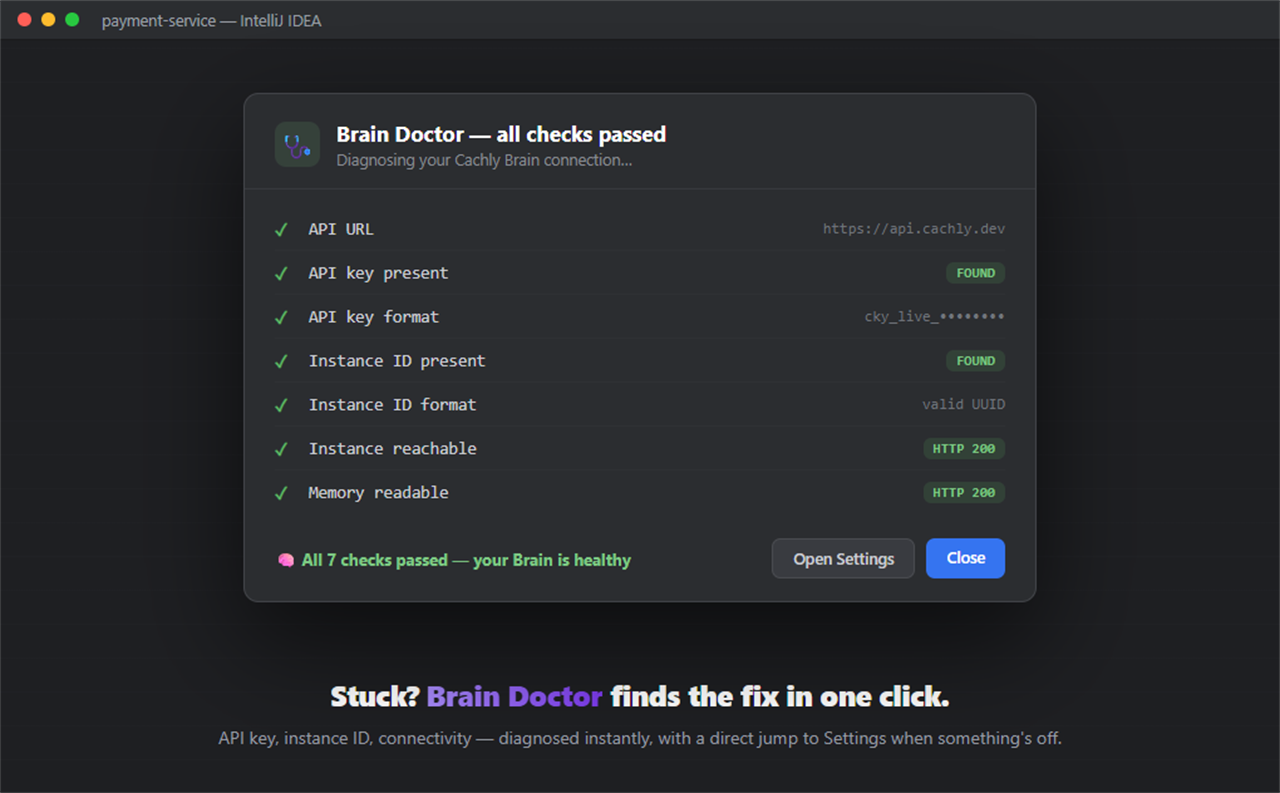
You've set up the cachly MCP server. Your AI assistant is now learning and remembering. But how do you know it's working? How many lessons has it stored? How much money has it saved you?
This plugin makes your AI's brain visible. Status bar widget, health dialog, lessons table — inside any JetBrains IDE.
- Status bar widget — Live lesson count and brain health (
🧠 Brain: 42 lessons) - Brain Health Dialog — Storage usage, tier, recalls, estimated tokens & cost saved
- Lessons View — All lessons with topic, outcome, recall count, and what worked
- Auto-refresh — Configurable interval (default 5 minutes)
- All JetBrains IDEs — IntelliJ IDEA, WebStorm, PyCharm, GoLand, Rider, and more
The IntelliJ action-to-capability map is tracked in
src/main/resources/cachly-capabilities.json
and rendered in ../../docs/generated/surface-parity.md.
Install Cachly Brain → or search for "Cachly Brain" in Settings → Plugins → Marketplace.
- Download the
.zipfrom GitHub Releases - Settings → Plugins → ⚙️ → Install Plugin from Disk → select the
.zip - Settings → Tools → Cachly Brain and set:
| Setting | Description |
|---|---|
| API Key | Your Cachly API key (cky_live_...) from cachly.dev |
| Instance ID | Your Brain instance UUID |
| Refresh Interval | Status bar refresh in seconds (default: 300) |
| Without plugin | With plugin | |
|---|---|---|
| Brain health | Unknown | Live status bar |
| Lesson count | Check elsewhere | Visible in IDE |
| Tokens saved | No idea | Shown in dialog |
| Session recall | Invisible | See it happen |
The plugin is free. It connects to your cachly Brain instance:
| Tier | RAM | Price |
|---|---|---|
| Free | 25 MB | €0/mo |
| Dev | 200 MB | €19/mo |
| Pro | 900 MB | €49/mo |
| Speed | 900 MB Dragonfly + Semantic Cache | €79/mo |
| Business | 7 GB | €199/mo |
cd sdk/intellij
./gradlew buildPlugin
# Ergebnis: build/distributions/cachly-brain-<version>.zip
# Die Version kommt aus build.gradle.kts. Hier stand bis zum 17.08.2026 eine
# feste 0.2.0, waehrend das Plugin bei 0.7.2 war — eine Zahl an zwei Orten
# gepflegt laeuft immer auseinander, und eine veraltete liest sich wie ein
# verlassenes Projekt.- cachly.dev — Dashboard & free signup
- AI Brain docs — MCP server setup
- MCP Server npm — The brain backend
- VS Code Extension — same brain, same trial, for VS Code
- Blog — how we build this, including the mistakes
Elastic License 2.0 — same terms as the rest of the cachly repository.