| title | API Keys |
|---|---|
| description | Create and manage API keys |
| og:title | API Keys | ActivitySmith |
| og:description | Create and manage API keys |
API Keys are secret tokens used to authenticate your requests. They are unique to your account and should be kept confidential.
To create an API key, go to the API Keys page and click the Create API Key button.
- Click Create API Key.
- Give your API Key a name (maximum 100 characters).
- Select All Recipients or Channel Scoped as the Scope.
- If you select Channel Scoped, you can choose the channels you want to restrict access to.
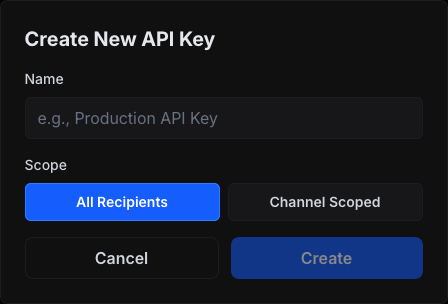
For security reasons, you can only view the API Key once.
There are two different API Key Scopes you can choose from:
- All Recipients: The API key can target all recipients in the account.
- Channel Scoped: The API key is restricted to channels assigned to that key.
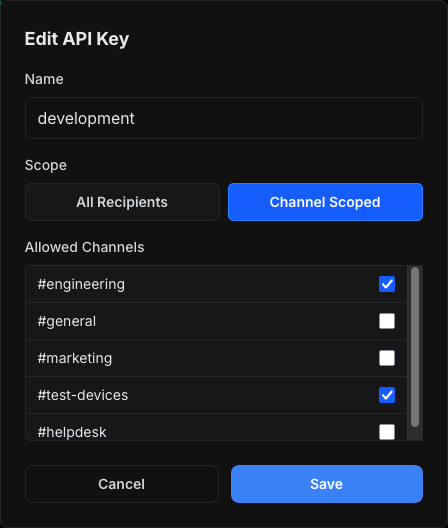
You can configure scope when creating or editing a key on the API Keys page.
After creating an API Key, you can edit the following details:
- Name
- Scope
- Scope Channels (only available if Scope is Channel Scoped)
To edit an API Key, click the Edit API Key button.
To manage your API keys, go to the API Keys page. The page shows you all the API Keys you have created along with their details
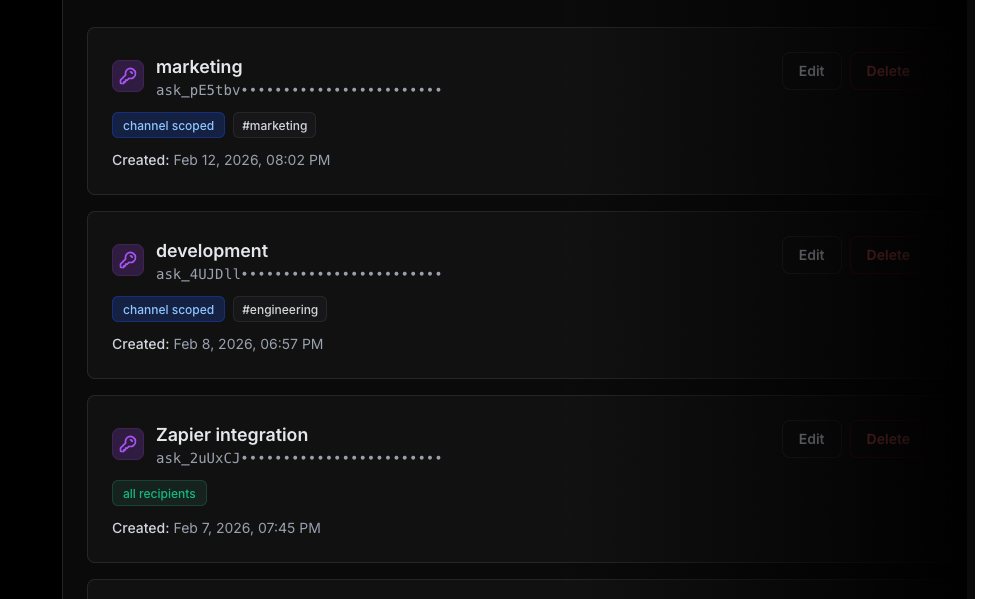
- Scope
all+ notarget.channels: sends to all recipients in your account. - Scope
all+target.channels: sends only to the provided channel slugs. - Scope
channels+ notarget.channels: sends to channels assigned to that API key. - Scope
channels+target.channels: requested channel slugs must be a subset of channels assigned to that API key.
Channels in request payloads use channel slugs, for example, ["marketing", "test-devices"].
If a channel-scoped key (channels) tries to target channel slugs outside its assignment, the request fails with 403 Forbidden and a clear scope-violation error message.
Use the channels guide for channel setup and targeting examples.